Offer both. A guest wishlist catches shoppers who aren't ready to commit, and a logged-in wishlist gives returning customers a saved list that follows them across visits and devices. Choosing only one means giving up either the first-time visitors or the best-known customers in your store.
The question deserves a closer look anyway, because the two types behave differently, collect different data, and fit different shoppers.
This guide explains how each one works, where each falls short, how to decide what your store needs, and how Flits Wishlist offers both without forcing a trade-off.
Key Takeaways
- A guest wishlist lets shoppers save products without an account, which removes the most common reason first-time visitors skip the feature.
- A logged-in wishlist ties saved products to a customer profile, which makes the list persistent and lets you see what individual customers want.
- Forced account creation is a documented source of lost sales: 24% of US shoppers abandoned a cart in a recent quarter for that reason (Baymard Institute, 2023).
- Most stores benefit from both, since guests save first and many later sign up to keep their list.
- Flits Wishlist supports guest wishlists and logged-in wishlists, including placement in the customer account page and mini account drawer.
What Each Wishlist Type Actually Is
A guest wishlist works without a login. A visitor clicks the heart on a product, and the item is saved for them right away. They haven't given you an email address, a password, or any personal details. The wishlist is tied to their browsing session rather than to an identified customer.
A logged-in wishlist works the other way around. The shopper must sign in or create an account first, and the saved items attach to that customer profile. Because the list belongs to a known person, it can follow them to a new device and be tied to their email and order history in your reporting.
The Case for a Guest Wishlist
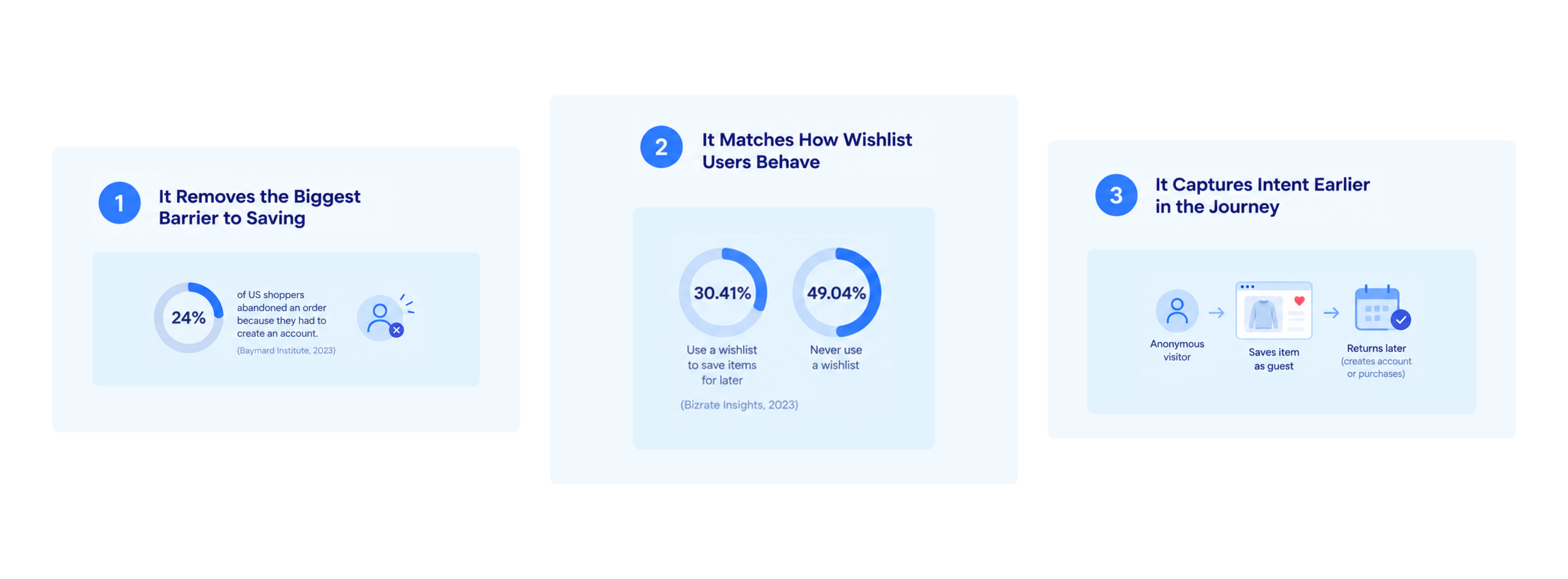
1. It Removes the Biggest Barrier to Saving
Think about how most people shop a store they don't know. They land on a product, like it, and aren't ready to buy. If saving it means creating an account, many will simply leave.
That reluctance shows up in the data. Baymard Institute's research on checkout friction found that 24% of US shoppers had abandoned an order in the previous quarter because the site wanted them to create an account (Baymard Institute, 2023). A wishlist that asks for the same commitment before it does anything useful runs into the same wall.
2. It Matches How Wishlist Users Behave
Bizrate Insights found that 30.41% of online shoppers use a wishlist to save items for later, while 49.04% never use one (Bizrate Insights, 2023). The shoppers who do use one tend to be in the middle of deciding, comparing, or waiting on a restock. Those are exactly the people least likely to pause and fill out a registration form.
3. It Captures Intent Earlier in the Journey
Most store traffic is anonymous. A guest wishlist lets you gather intent signals from visitors who would otherwise leave no trace, and it gives them a reason to return. The guide to capturing customer intent with Flits Wishlist covers how that earlier signal turns into repeat visits.
The Case for a Logged-In Wishlist
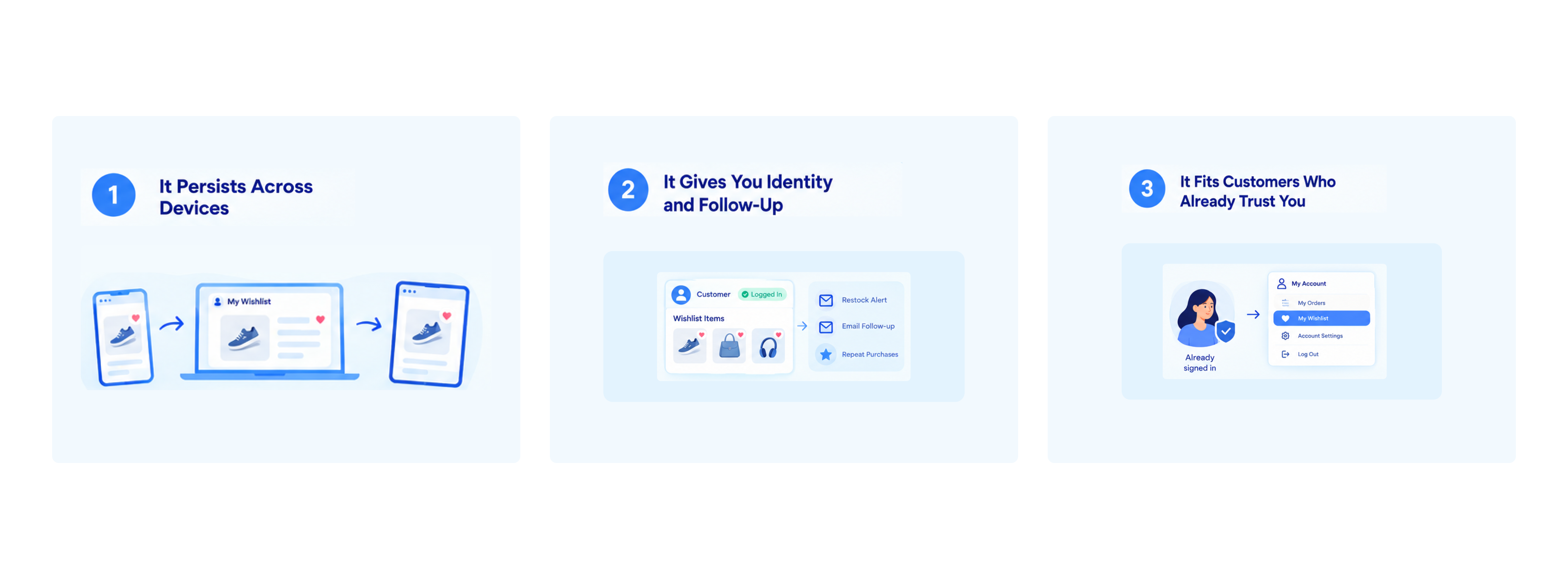
1. It Persists Across Devices
Shoppers rarely finish a purchase on the device where they started. They save something on a phone during a commute and come back on a laptop that evening. A wishlist attached to an account is available wherever the customer signs in, while a session-based list may not travel with them. Mobile devices carried 56.4% of online holiday sales in the 2025 season (Salesforce, 2025), so cross-device continuity matters.
2. It Gives You Identity and Follow-Up
A logged-in save arrives with a known customer behind it. You can see what that person saved, send a restock alert, and include their interest in an email flow, all without an extra step to collect an address. For stores that care about repeat purchases, that identified data is where wishlist follow-up becomes most direct. The reminder email guide shows how those flows are built.
3. It Fits Customers Who Already Trust You
Existing customers are accustomed to signing in, and many want their saved items kept alongside their account. For them, a logged-in wishlist feels natural, and a dedicated list in the account area becomes a place they return to.
Where Each Type Falls Short
Each approach has limits worth knowing before you pick one.
A guest wishlist has no identity attached. Unless the shopper later shares an email or signs up, you can't contact them about what they saved, and the list may not survive a switch of browser or device. It captures interest but not always a way to follow up.
A logged-in wishlist depends on a decision shoppers haven't made yet. Anyone who isn't ready to create an account never saves anything, so you lose the earliest and most hesitant signals. The saves you do get skew toward shoppers who already trust you.
Running only one type means accepting one of those gaps in full.
Which Fits Your Store: Guest Wishlist or Logged-in Wishlist?
Your traffic mix and product category point toward the right balance. These scenarios cover most stores.
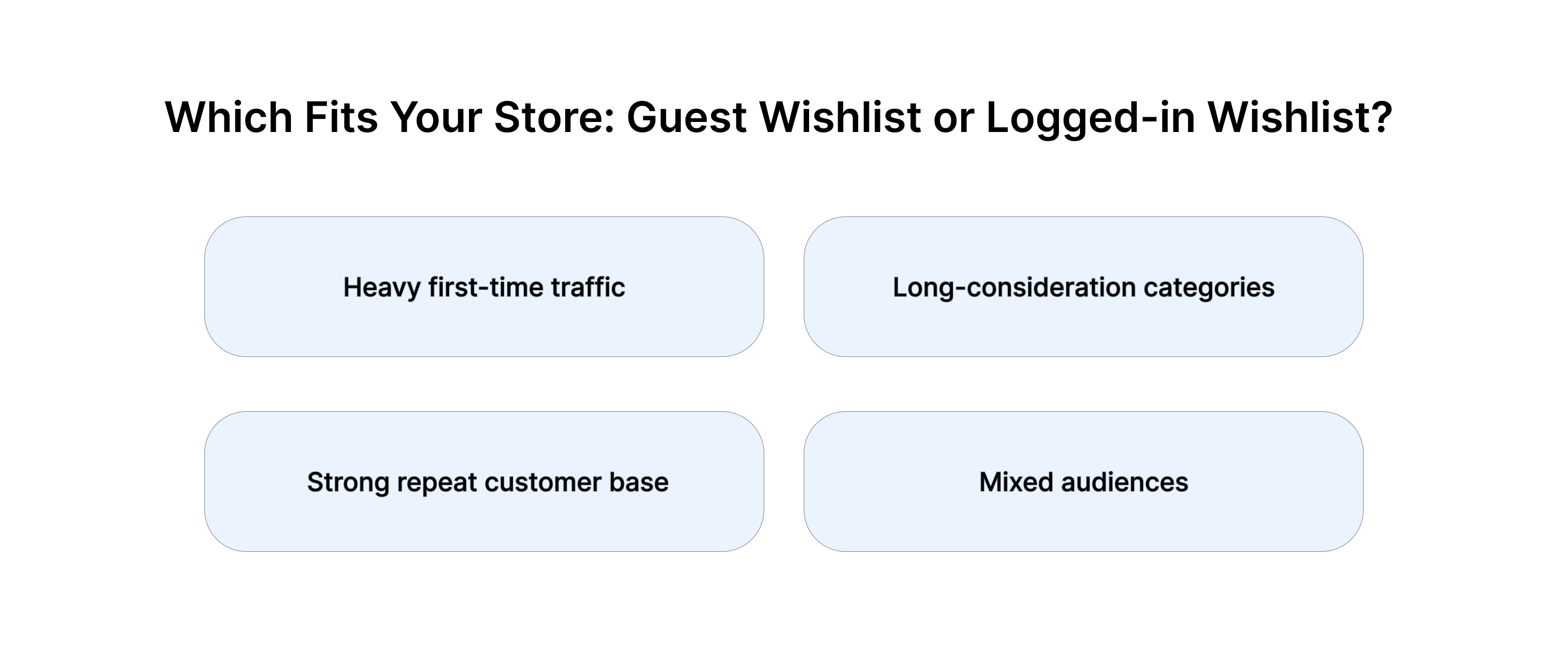
- Heavy first-time traffic. If paid ads, social, or search send mostly new visitors, a guest wishlist is where most of your saves will come from. Without it, you're asking strangers to register before they've decided anything.
- Strong repeat customer base. If most revenue comes from returning shoppers who already have accounts, a logged-in wishlist inside the account area serves them well, and it's where customer-level data is richest.
- Long-consideration categories. Furniture, jewelry, electronics, and other higher-priced items involve comparison over days or weeks. Shoppers may start as guests, return several times, and eventually sign up, so both types matter.
- Mixed audiences. Most stores fall here. New visitors arrive as guests, a portion become account holders, and your wishlist should serve both stages of that path.
The practical conclusion is that the choice rarely comes down to guest or logged-in. It comes down to whether your wishlist can handle a shopper moving from one state to the other.
Why Offering Both Beats Choosing One
Think of the two types as stages in a single relationship rather than competing features.
A first-time visitor saves a product as a guest, with no friction. They return a few days later, find the item waiting, and feel the store already knows what they like. At that point, creating an account to keep the list becomes a practical decision with a clear benefit, not a demand. Some will sign up on the second visit and some on the fifth, as the post on converting guest users into sign-ups explains.
If you offer only logged-in wishlists, that whole first stage never happens. If you offer only guest wishlists, you miss the identified, cross-device experience that your most loyal shoppers want. Offering both lets the wishlist meet shoppers where they are, then move with them.
Flits Offers Both Guest and Logged In Wishlist for Shopify Stores
Flits Wishlist supports both models in one standalone app, so you don't have to pick a side or install a second tool.
1. Guest Wishlist
Guest wishlist works without a customer login. Shoppers save products straight from product pages and collection pages, then view them on a dedicated wishlist page reachable from the header. Guest wishlist is included on the paid Unlimited plan and isn't part of the free plan.
2. Logged-In Wishlist in the Customer Account
For signed-in customers, Flits places the wishlist in the customer account page and in the mini account drawer, so saved items sit where returning shoppers already look. Shoppers can move products straight from the wishlist to the cart, and they can save the specific variant they want, such as a particular size or color.
3. Customer-Level Data in Your Admin
Flits records a customer activity timeline in the Shopify admin, so you can see what an identified customer saved and what they did next. The wishlisted product list is sortable and searchable, with stock status, and the analytics cover most-saved products, sales via wishlist, wishlist users, and cart abandonment. The analytics guide shows how to read those numbers as customer signals.
4. Follow-Up That Works for Both
Saved products connect to action through two built-in paths. Back-in-stock alerts are native to Flits, with no extra tool required. And wishlist activity syncs to Klaviyo as customer events, so you can build segmented flows around what shoppers saved. The Klaviyo integration walkthrough explains the setup.
5. Setup Without Design Work
Flits includes an AI-generated wishlist page and flow builder that matches your theme, and the button's color, icon, and position are adjustable without editing code. If you're switching from another wishlist app, Flits support handles CSV migration so existing customer wishlists carry over. The setup guide covers placement step by step.
Setting Up Both Types Well
Offering both only helps if the experience is smooth for each. A few habits make the difference.
- Make the save button visible on mobile. Most visitors arrive on a phone, and a heart that's hard to spot or tap loses saves before they happen.
- Don't interrupt guests with sign-up prompts. Let the first save happen quietly, and introduce the benefits of an account on a later visit.
- Give account holders a clear home for their list. A visible wishlist link in the header and account area helps signed-in customers find what they saved.
- Watch both groups in your data. Compare saves, add-to-cart events, and orders from each type to see where your wishlist is working and where it stalls.
- Connect saves to email. A saved product only earns revenue when something brings the shopper back, whether that's a restock alert or a reminder.
For more tactics on turning saves into orders, see the wishlist best practices guide.
Offer Both and Let Shoppers Choose Their Pace
Shoppers arrive at different stages. Some are ready to sign up, and many aren't. A wishlist that works for both lets each shopper take the next step on their own schedule, which is how hesitant visitors become known customers.
You can start with the free plan to see how Flits fits your store, and the Unlimited plan at $19 a month adds guest wishlist and the rest of the feature set with no higher tier and no pricing that grows with order volume. Install Flits Wishlist from the Shopify App Store to try it, and read the complete Shopify wishlist guide for the bigger picture.
Frequently Asked Questions
What is the difference between a guest wishlist and a logged-in wishlist?
A guest wishlist lets shoppers save products without creating an account, while a logged-in wishlist requires sign-in and attaches saved items to a customer profile. Guest wishlists lower friction for new visitors. Logged-in wishlists give you identity and persistence across devices.
Should I require customers to log in to use a wishlist?
For most stores, no. Requiring an account before saving filters out first-time visitors, who make up much of store traffic. Offering a guest option and a logged-in option together captures both groups.
Does a guest wishlist hurt account sign-ups?
It shouldn't. A guest who saves items and returns has a practical reason to create an account to keep their list, so the wishlist works as a bridge toward registration rather than a replacement for it.
Can I email guests about what they saved?
You'll need their email address first, since a guest save carries no identity on its own. Many stores invite shoppers to sign up or share an email on a later visit, once the wishlist has proven useful.
Which Flits plan includes guest wishlist?
Guest wishlist is available on the paid Unlimited plan, not the free plan. Logged-in wishlist functionality is part of Flits Wishlist's core feature set.
Is a wishlist the same as a save-for-later cart feature?
No. A wishlist works from product and collection pages before anything reaches the cart, while save-for-later happens inside the cart. The save for later use case explains how Flits handles the cart side.