A segment of shoppers land on your fashion store, fall for SKUs, check the prices, and leave without buying.
There’s nothing wrong with your product collection (in most cases). They’re just not ready to pay today.
Maybe they’re waiting for payday, comparing products against two other stores, or debating about the variant. Without a wishlist, those SKUs disappear from the radar the second those customers close the tab. And you, you lose a sale that was already halfway won.
Fashion has more of these moments than almost any other category.
- Sizes need thinking over
- Colors need comparing
- Trends move fast enough that "I'll come back later" often means never
A wishlist button gives that shopper a place to park their intent instead of losing it. It also gives you a direct line back to them: what they saved, when they saved it, and what would bring them back to finish the purchase.
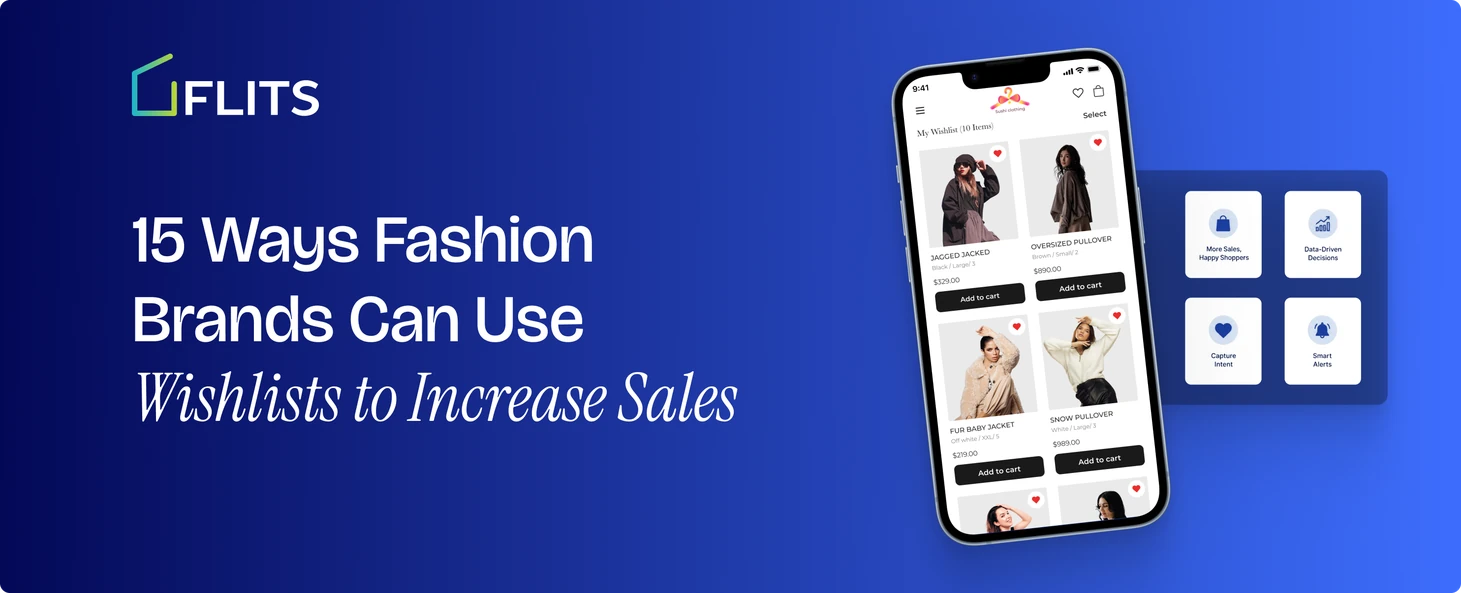
This post walks through 15 ways fashion brands are putting wishlists to work beyond the basic "save for later" button. By the end, you'll have a clear list of tactics to apply to your own store, whether you're just adding a wishlist app or trying to get more out of one you already have.
Let’s dive right in!
- A wishlist button captures shopper intent that would otherwise be lost when browsers leave without buying.
- Guest wishlist support saves items for visitors who haven't created an account yet.
- Back-in-stock alerts bring shoppers back automatically when a sold-out size or color returns.
- Wishlist save counts help decide which sold-out items to restock first.
- Variant-level saving remembers the exact size, color, or style a shopper picked.
- A wishlist gives visitors a real reason to create an account.
- Wishlist icons on collection pages capture saves during fast browsing, not just on product pages.
- Shareable wishlists support gifting and group shopping decisions.
- Wishlist abandonment email flows recover intent-driven saves, not just cart abandonments.
- Segmenting customers by saved items sharpens targeting beyond purchase history alone.
- Price drop alerts convert price-sensitive shoppers the moment an item goes on sale.
- Wishlist-to-purchase analytics show which saved items are converting and which aren't.
- Surfacing wishlisted items in the account page and mini-cart keeps saved items visible.
- AI-generated wishlist pages match store branding without developer work.
- Wishlist migration tools preserve existing customer saves when switching apps.
Shopify wishlist strategies for fashion brands to increase sales
1. Turn browsers into a saved list instead of a lost visitor
Most fashion shoppers aren't ready to buy on the first visit. They're scrolling, comparing, and building a mental shortlist across multiple tabs and stores. A wishlist button on every product page gives that shortlist a home on your site instead of a screenshot on their phone.
This matters more in fashion than in almost any other category because the decision cycle is longer. Someone browsing dresses for a wedding might visit your store four or five times before checking out. Every visit without a wishlist is a visit where they start their search from scratch. Every visit with one picks up exactly where they left off.
2. Recover intent from guest shoppers before they create an account
A large share of fashion traffic never signs up. They browse, maybe save an item mentally, and leave. If your wishlist only works for logged-in customers, you lose that entire segment before you've captured anything about them.
Guest wishlist support lets a shopper save items without creating an account first. They keep browsing, add a few more pieces to the list, and only sign up later when they are ready to check out or want their list to sync across devices. That removes the signup wall that normally sits between "I like this" and "I saved this."
With a Shopify wishlist app like Flits Wishlist, you can convert your guest visitors to sign up users.
3. Bring shoppers back the moment a sold-out size or color returns
Fashion sells out fast, and it's usually the popular sizes and colors that go first. A shopper who wants a size 8 in black and finds it's gone has two choices: pick a different item or leave. Most leave.
Back-in-stock alerts change that outcome. When a shopper wishlists a sold-out variant, they get an automatic email the moment it's restocked. they don't have to remember to check back, and you don't lose the sale to a competitor they found in the meantime. This works product by product and variant by variant, so the alert only fires for the exact size or color they wanted, not the whole product line.
4. Use wishlist data to decide what to restock first
Every wishlist save is a signal. If two hundred shoppers have saved a sold-out sweater in medium and only twelve have saved it in extra small, that tells you exactly where to put your restocking budget.
Most merchandising teams rely on sales history to plan restocks, but sales history only tells you what sold before it sold out. Wishlist data tells you what people wanted and couldn't get, which is a more direct read on unmet demand. Checking which sold-out items have the highest wishlist counts, before placing a reorder, turns a guessing exercise into a data-backed one.
5. Let customers save a variant, not just a product
A wishlist that only tracks the product, without the size or color, creates a frustrating moment later. A shopper opens their saved list a week later, clicks into a dress they loved, and now has to remember which color they wanted and check whether their size is even available.
Variant-level saving fixes this by capturing the exact size, color, or style they selected at the moment they saved it. When they come back, the item is ready to add to cart as-is, with no re-deciding required. For fashion specifically, where the same product can exist in a dozen variant combinations, this is the difference between a wishlist that removes friction and one that adds it.
6. Give shoppers a reason to create an account
Account creation rates are usually low in fashion, especially among first-time visitors who aren't sure they'll buy yet. A wishlist gives them a concrete reason to sign up: their saved items sync across devices and stay put between visits.
That's a different pitch than "create an account to check out faster," which most shoppers ignore. "Save this so you don't lose it" is a benefit they feel immediately, not a chore they're being asked to do for your convenience.
7. Add a wishlist icon to collection and category pages, not just product pages
Fashion shoppers browse in bulk. They'll open a "New Arrivals" or "Dresses" collection page and scan through twenty products in a few seconds, mentally shortlisting three or four without clicking into any of them.
If the wishlist icon only appears on the individual product page, that fast browsing behavior doesn't get captured. Placing the wishlist icon directly on collection and category page thumbnails lets a shopper save items as they scroll, without breaking their browsing rhythm to click into each one.
8. Build a shareable wishlist for gifting and group shopping
Fashion gifting has a built-in problem: the person buying the gift often doesn't know the recipient's size, style, or brand preferences well enough to choose confidently. There are multiple types of Shopify wishlist and a shareable wishlist solves this from the other direction. The recipient builds their own list of what they want, and shares the link with whoever's buying for her.
This also works for shoppers coordinating outfits with friends, or comparing picks with a partner before checkout. A wishlist link that can be shared via email, text, or social media turns a private saved list into something that drives a second person's purchase decision, not just the original shopper's.
9. Recover abandoned wishlist items with targeted email flows
A cart abandonment email is common. A wishlist abandonment flow is less common, and often more effective, because the shopper saved that item with clear intent rather than adding it to cart and getting distracted.
One of the Shopify wishlist’s best practices is to connect its activity to an email platform like Klaviyo means every save becomes a trigger for automated flows. A shopper who wishlists a coat and doesn't buy within a few days can get a reminder email, a size-availability nudge, or eventually a price alert, all without a merchandiser manually building each campaign.
10. Segment customers by what they've saved, not just what they've bought
Shopify purchase history tells you what a customer already owns. Wishlist history tells you what they want next. For fashion brands running email or SMS campaigns, that second signal is often more useful for planning what to send and to whom.
A customer who's wishlisted five items from your activewear line is a much stronger target for an activewear launch email than someone selected purely because they bought a t-shirt six months ago. Building segments from saved items, alongside purchase data, gives merchandising and marketing teams a sharper read on evolving customer interest.
11. Set up price drop alerts to close price-sensitive shoppers
Some shoppers love an item but are waiting for a better price before buying. Without a price alert, that wait can go on indefinitely, and the shopper eventually forgets about the item altogether or finds it cheaper somewhere else.
A price drop alert closes that gap. The moment a wishlisted item goes on sale, the shopper gets notified automatically, at the exact point they are most ready to convert. This tends to work especially well during end-of-season sales, when a large batch of wishlisted items drops in price at once and can generate a concentrated wave of return visits.
12. Track wishlist-to-purchase conversion to see what's actually working
Saves are a vanity metric on their own. What matters is how many of those saves turn into completed purchases, and how long that usually takes. Shopify wishlist analytics that track saves, conversions, and the average time between the two turn a nice-to-have feature into a measurable part of the sales funnel.
This data also helps prioritize fixes. If a specific product has a high save count but a low conversion rate, that's a signal worth investigating, whether it's a pricing issue, a sizing concern, or product photography that doesn't match customer expectations at checkout.
13. Surface wishlisted items inside the customer account and mini-cart drawer
A wishlist that's buried on a separate page, three clicks deep, gets forgotten. Fashion shoppers browse quickly and expect their saved items to be visible wherever they naturally check their account activity, whether that's the account dashboard or the mini-cart drawer they open while shopping.
Showing wishlisted items in both places keeps the list in view without the shopper having to go looking for it. That visibility alone increases the odds they'll click back into a saved item mid-session, rather than only when they remember to check a dedicated wishlist page later.
14. Use AI to design a wishlist page that matches your store's look, without a developer
A wishlist page that looks bolted onto your theme, mismatched fonts, generic layout, feels like an afterthought rather than part of the shopping experience. For fashion brands where visual presentation carries a lot of the brand identity, that mismatch is more noticeable than it would be in other categories.
An AI-generated wishlist page and flow builder removes the need to brief a developer or designer every time you want the wishlist experience to match your storefront. The layout adapts to your existing theme automatically, so the saved-items page looks like a natural extension of your store rather than a separate tool stitched on top of it.
Flits Wishlist comes with the “build with AI” feature that allows you to create and customize your wishlist pages with AI. One, this ensures it’s completely on brand and fits in seamlessly. And two, it saves you a ton of time.
15. Migrate wishlist data when switching apps, without losing what customers already saved
Switching wishlist apps is a common hesitation point for growing fashion brands, mostly because merchants worry about losing existing customer data in the process. You might be using Swym, but might look for Swym wishlist alternatives, which is completely understandable. If every customer's saved items disappear during a migration, you're not just losing data, you're losing the return-visit intent tied to it.
Shopify wishlist apps like Flits Wishlist follow a proper migration path, usually a CSV export handled by the support team, preserving that saved data instead of wiping it. That means a switch to a better wishlist experience doesn't cost you the months or years of saved intent your customers have already built up.
Getting started
Most of these tactics depend on a wishlist app that goes beyond a basic save button: guest wishlist support, variant-level saving, back-in-stock and price drop alerts, Klaviyo integration, and analytics that show what's being saved and converted.
Flits Wishlist covers this full set on a single $19/month Unlimited plan, with no feature gates and no pricing that climbs as your store grows. Fashion brands get the complete toolkit from day one, whether they're processing ten orders a month or ten thousand.
Try Flits Wishlist for free today!
Frequently Asked Questions
Do wishlists actually increase sales for fashion stores?
Yes, when the wishlist is connected to alerts and email flows. A save on its own is just a bookmark. The sales impact comes from back-in-stock alerts, price drop notifications, and wishlist abandonment emails that bring the shopper back at the right moment to convert that saved item.
Should guest shoppers be able to use a wishlist without creating an account?
Yes. A large share of fashion traffic browses without logging in. Requiring an account before a shopper can save anything means losing that intent entirely. Guest wishlist support lets shoppers save first and create an account later, often when they're ready to check out.
What's the difference between a cart and a wishlist for a fashion store?
A cart signals near-term purchase intent, usually for items a shopper plans to buy in the current session. A wishlist signals longer-term interest, items a shopper likes but isn't ready to buy yet, whether due to price, sizing, or timing. Both need different follow-up strategies.
Can a wishlist help with restocking decisions?
Yes. Wishlist save counts on sold-out products show unmet demand more directly than past sales data alone, since they capture what shoppers wanted and couldn't get. Checking wishlist counts before placing a reorder helps prioritize which sizes and colors to restock first.
Does a wishlist app need to integrate with email marketing tools?
It should. Without an email integration like Klaviyo, wishlist saves stay siloed on your site and never turn into a follow-up campaign. With the integration, every save becomes a trigger for back-in-stock alerts, price drop notifications, and abandonment reminders sent automatically.
Is a wishlist important for gifting in the fashion category?
Yes. Fashion gifting often runs into a sizing or style mismatch when the buyer doesn't know the recipient well enough. A shareable wishlist lets the recipient build their own list and send it to whoever's buying, removing the guesswork from the gift.