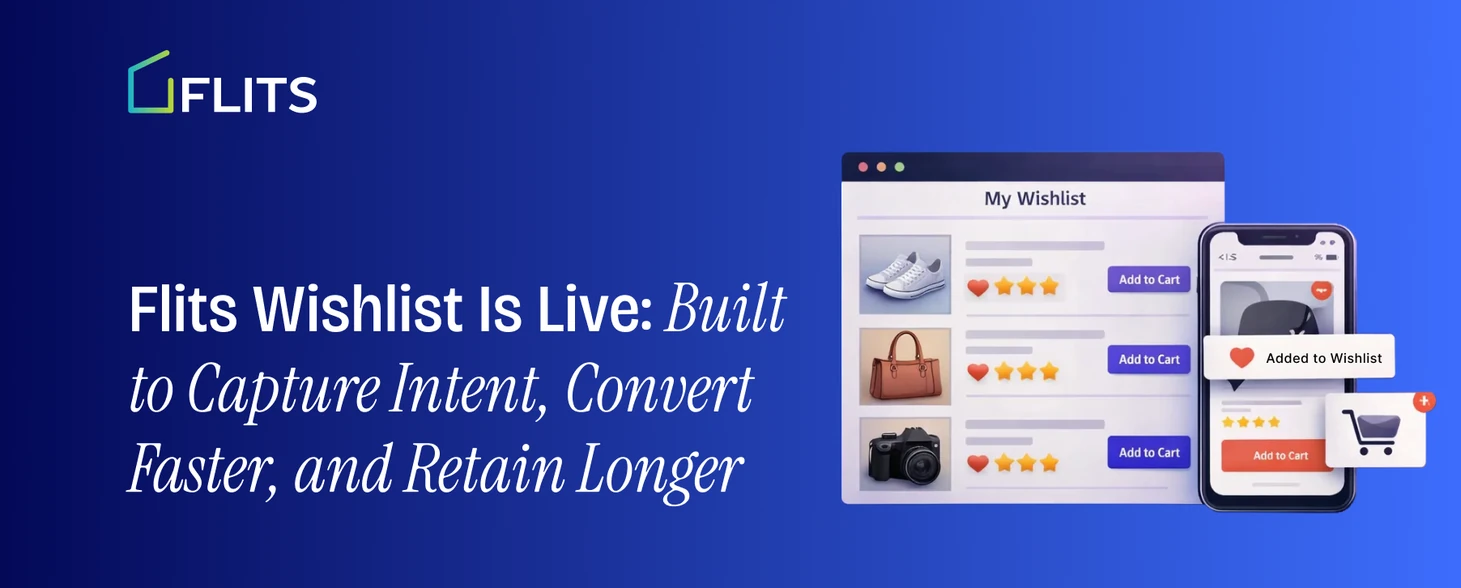
The following blog will help you navigate through Flits' newly launched Wishlist App. Learn all that you need to capture intent, convert fast, and retain your customers longer with Flits Wishlist. Check it out now!
Most shoppers don’t abandon products; they postpone decisions. The problem isn’t a lack of interest, it’s a lack of a clear way to come back. Flits Wishlist is built to capture that intent, giving customers a simple way to save what they love and giving merchants a powerful signal into what shoppers actually want to buy next.
Designed for Shopify brands that care about conversion, visibility, and control, Flits Wishlist is now live for merchants who want to give their customers an easy way to save products and return when they are ready to buy.
Flits Wishlist is Live: What Merchants can do with it
Here’s everything merchants can enable on their storefronts.
- Dedicated wishlist page
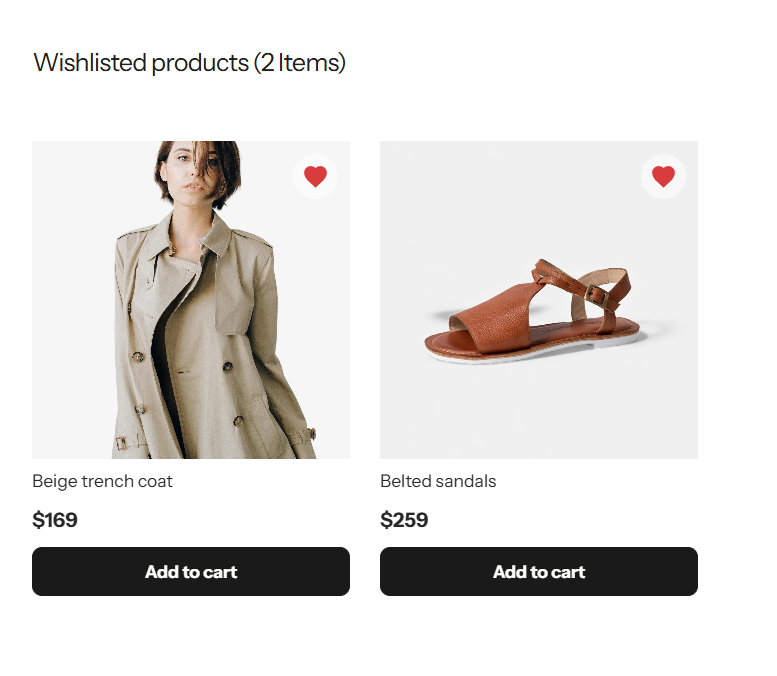
A fully functional wishlist page where customers can:
- View all saved products in one place
- Add items directly to the cart
- Remove items with a single click
- Wishlist button on product detail pages (PDP)
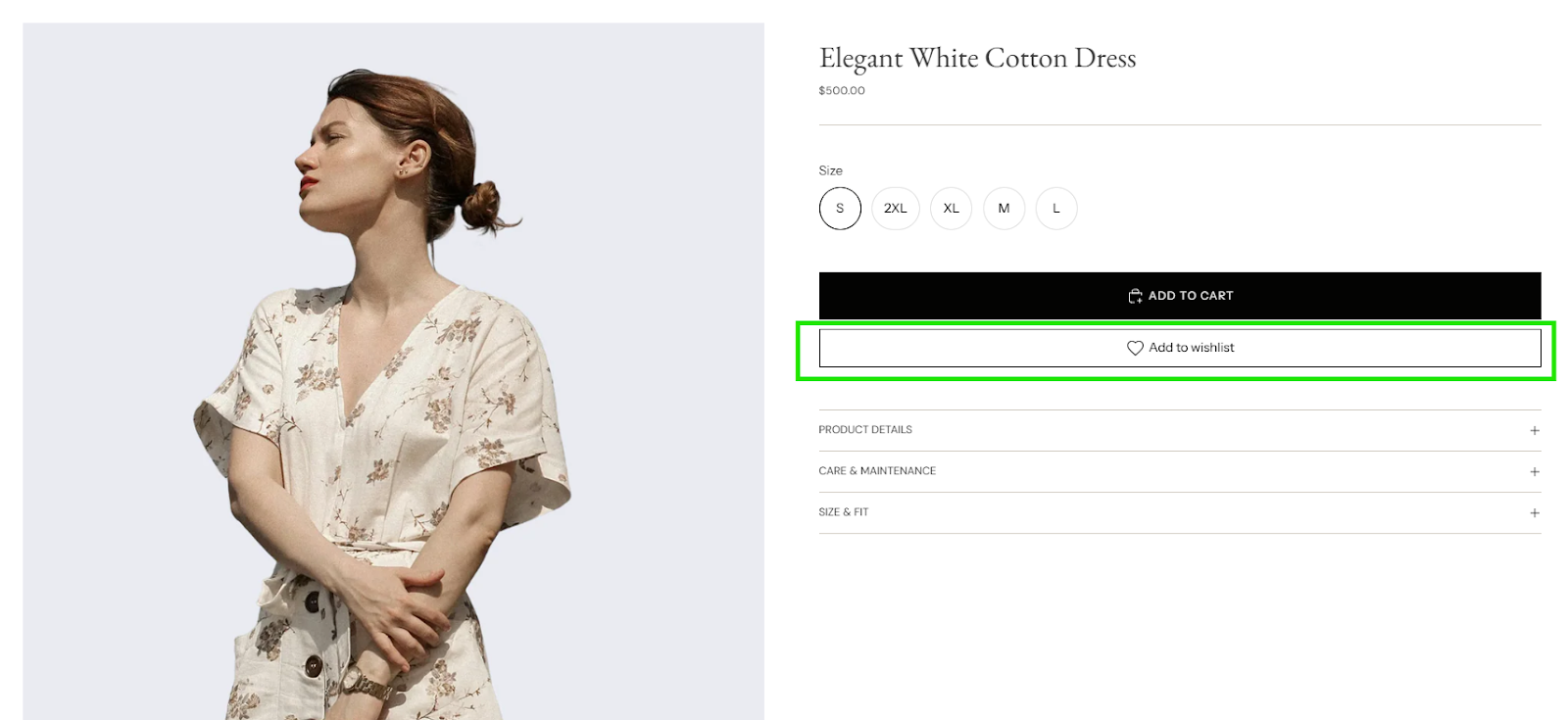
Customers can wishlist products directly from the product page via:
- A customizable Add to Wishlist button
- Flexible placement (below Add to Cart, icon-only, or icon with text)
- Brand-aligned styling (colors, radius, padding, fonts)
- Wishlist icon on collection pages
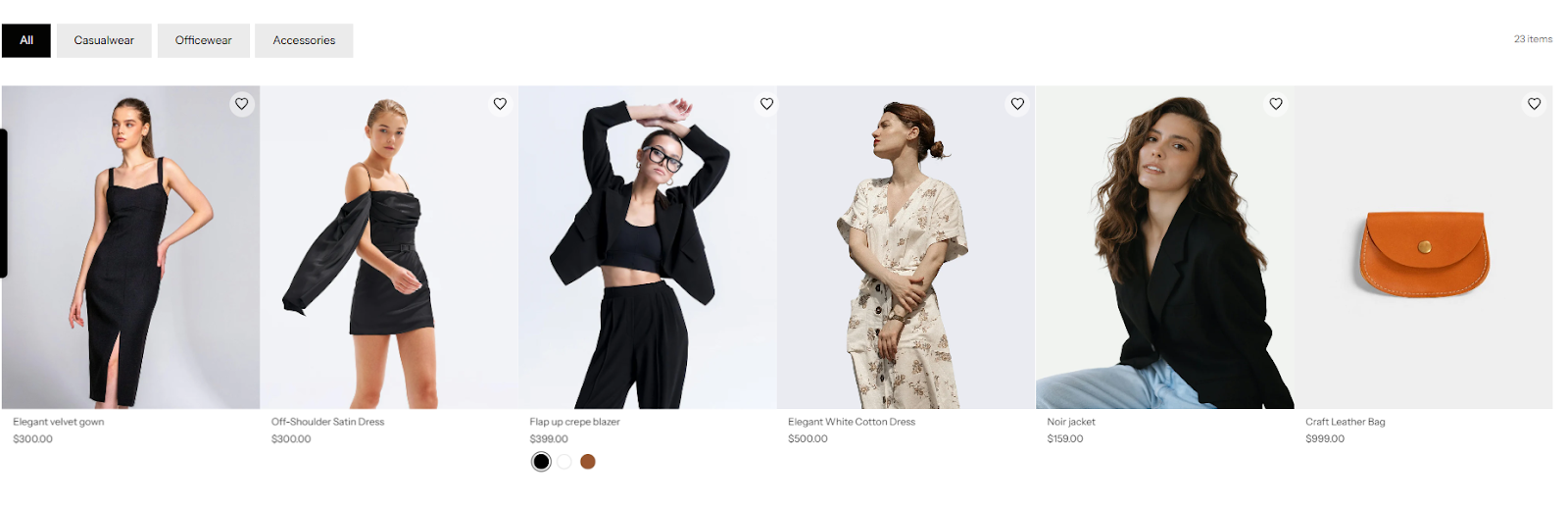
Wishlist icons appear directly on product cards across collection pages, allowing customers to:
- Save products without opening the product page
- Quickly shortlist items while browsing
- Add to cart from the Wishlist page
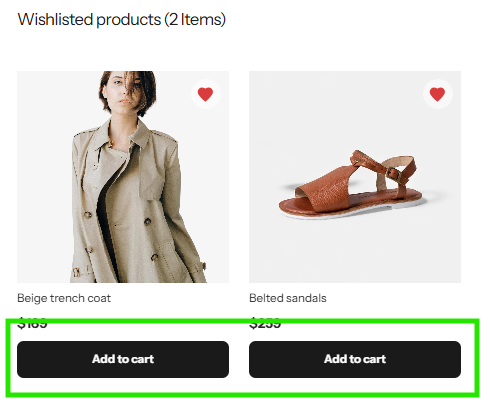
Customers can:
- Add products to the cart from the Wishlist page
- Add multiple products to the cart at once
- Remove multiple products from the Wishlist in one action
Merchant Control Available in Flits Wishlist Admin
Flits Wishlist is built to be merchant-first, with deep control over appearance, placement, and behavior, all without touching code (unless you want to).
- Central Wishlist Activation & Status Control
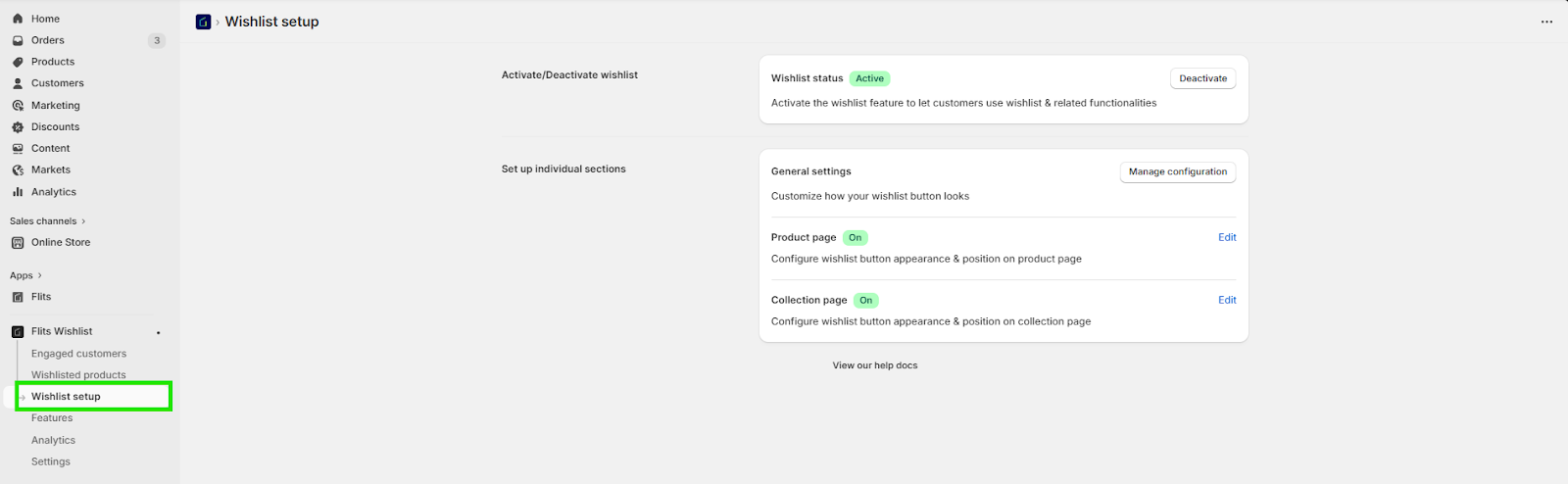
Merchants can instantly enable or disable Wishlist functionality across the storefront.
- Granular Setup by Storefront Location
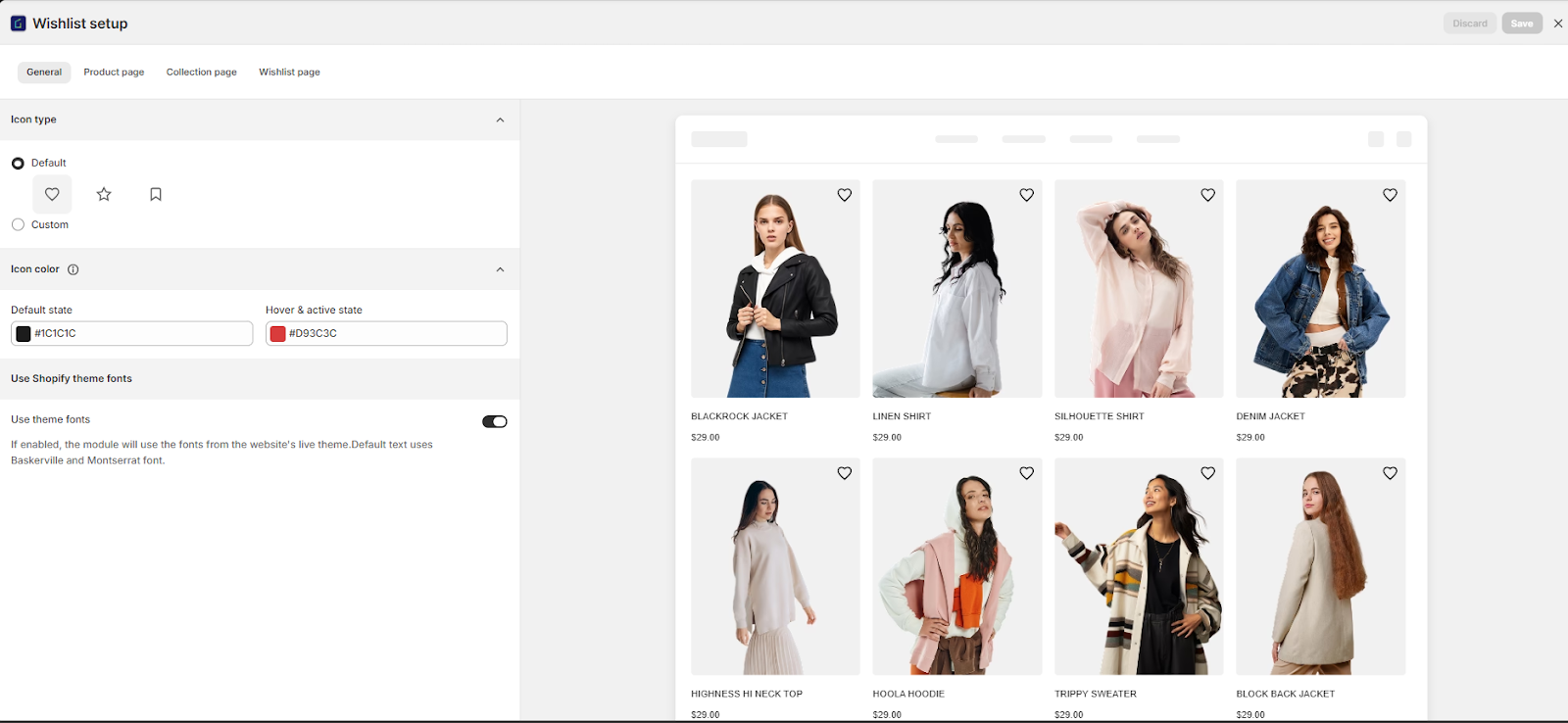
Merchants can independently configure Wishlist behavior for:
- Product pages
- Collection pages
- Wishlist pages
Each section has its own setup screen, so nothing is forced globally.
- Visual Customization
From the General Settings and page-level controls, merchants can customize:
- Wishlist icon type (default or custom)
- Icon color (default, hover, and active states)
- Button style (outline, solid, icon-only, icon+text)
- Button radius, padding, width, and spacing
- Font alignment with Shopify theme fonts
- Product Page Controls
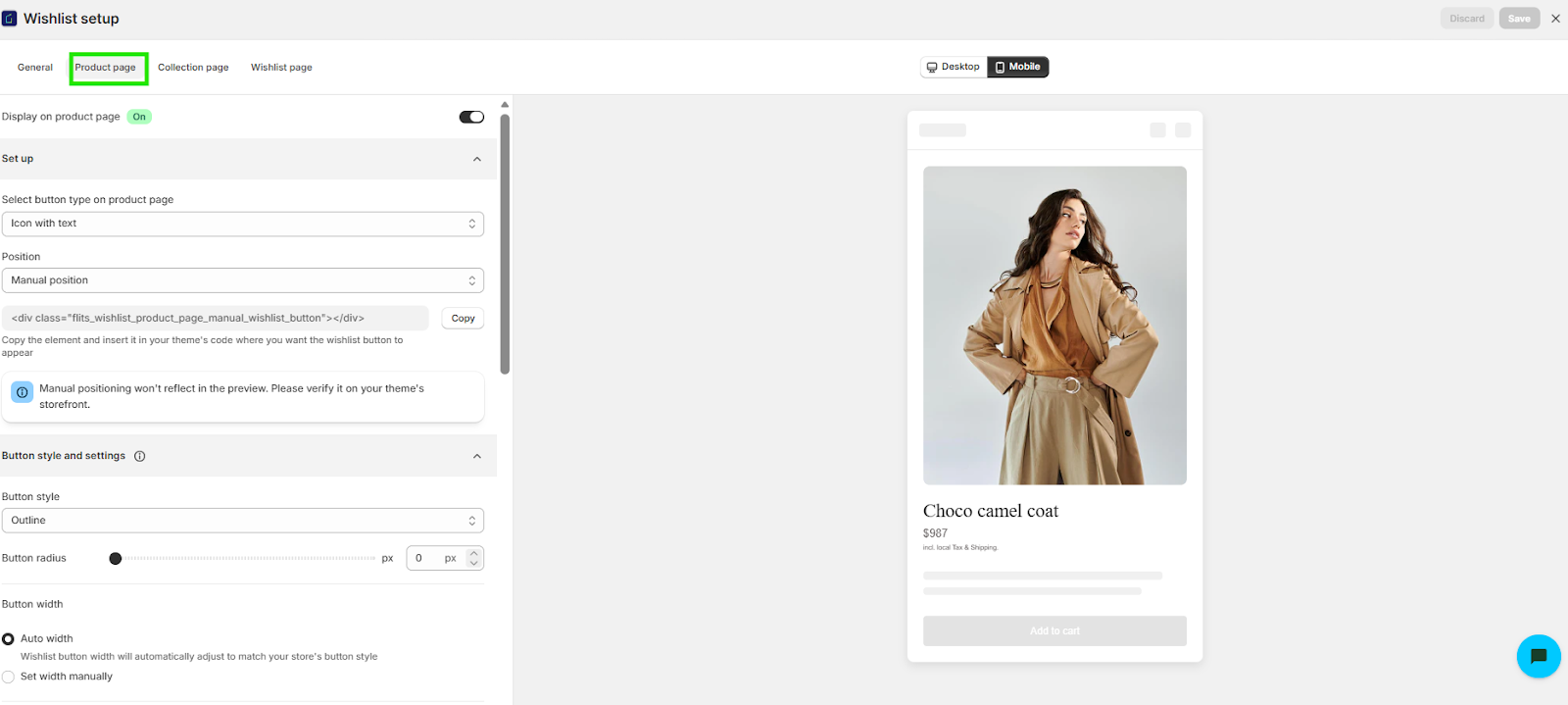
Merchants can fine-tune how the Wishlist appears on PDPs by choosing:
- Button position (above or below Add to Cart, inline, etc.)
- Text before and after Wishlisting
- Whether the Wishlist count is displayed
- Button width behavior (auto or manual)
- Collection Page Controls
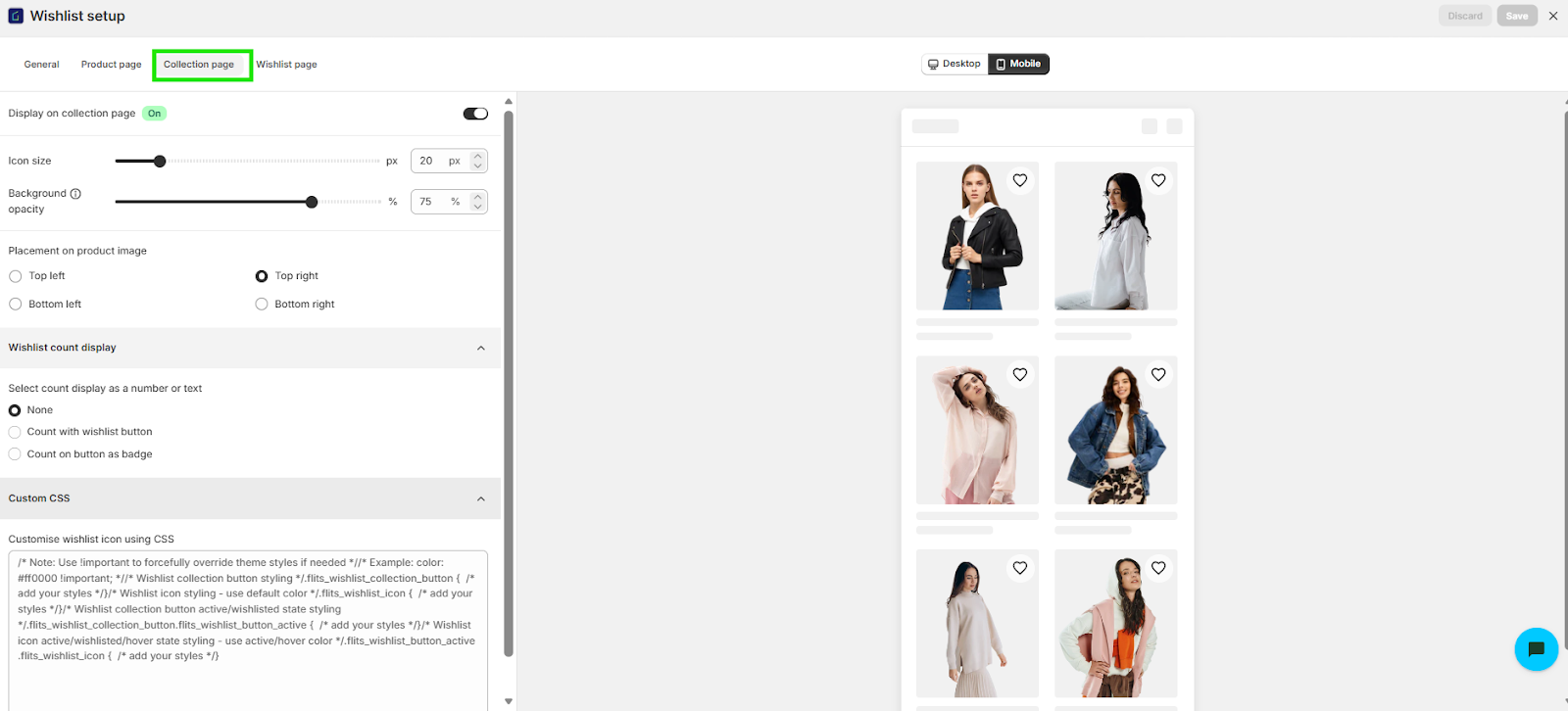
On collection pages, merchants can configure:
- Icon size and background opacity
- Placement on product images (top-left, top-right, bottom corners)
- Wishlist count display (icon or badge)
- Styling via custom CSS
- Wishlist Page Layout and Behavior
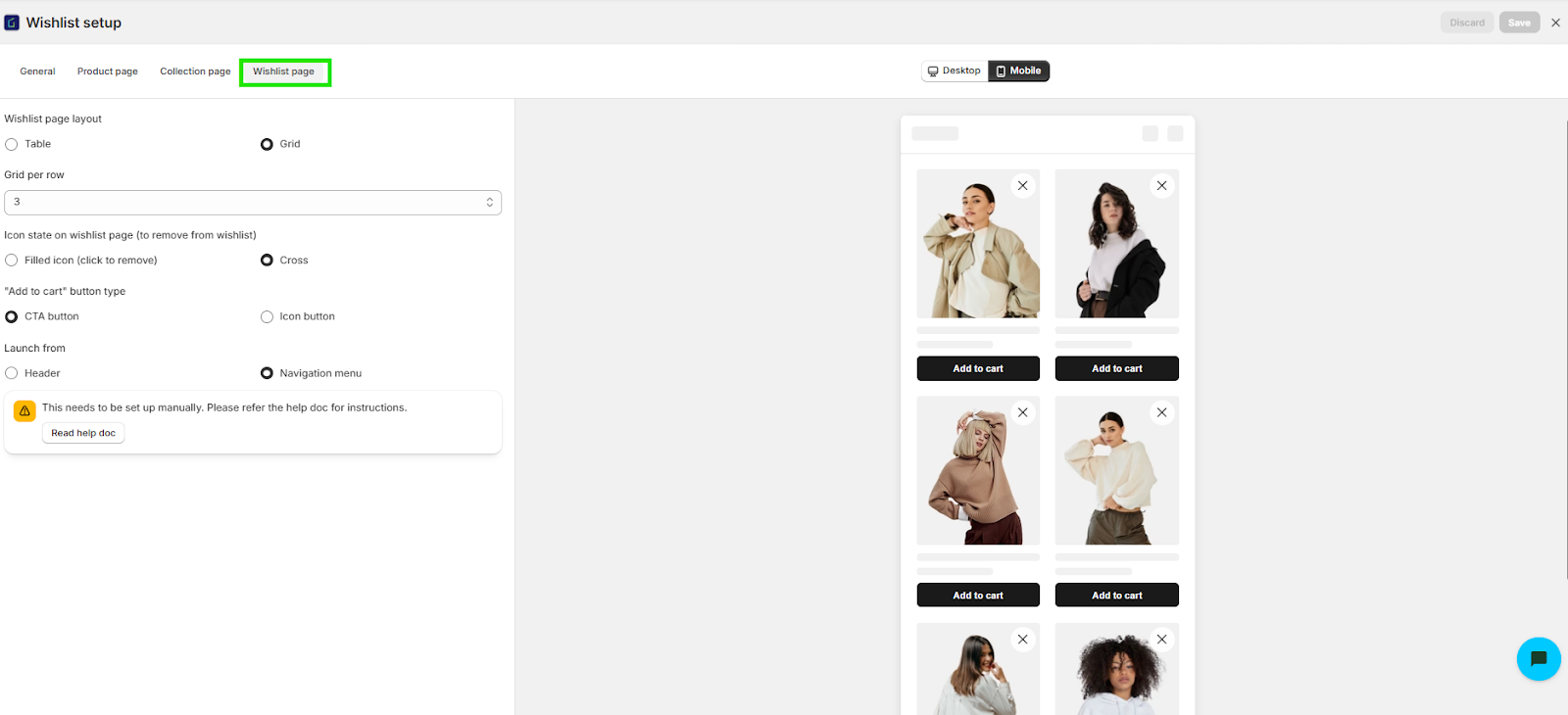
Merchants control how the Wishlist page looks and works:
- Grid or table layout
- Number of products per row
- Remove-from-Wishlist interaction (filled icon or cross)
- Add-to-cart button type
- Where the Wishlist page is launched from (header or navigation menu)
- Wishlisted Product Visibility
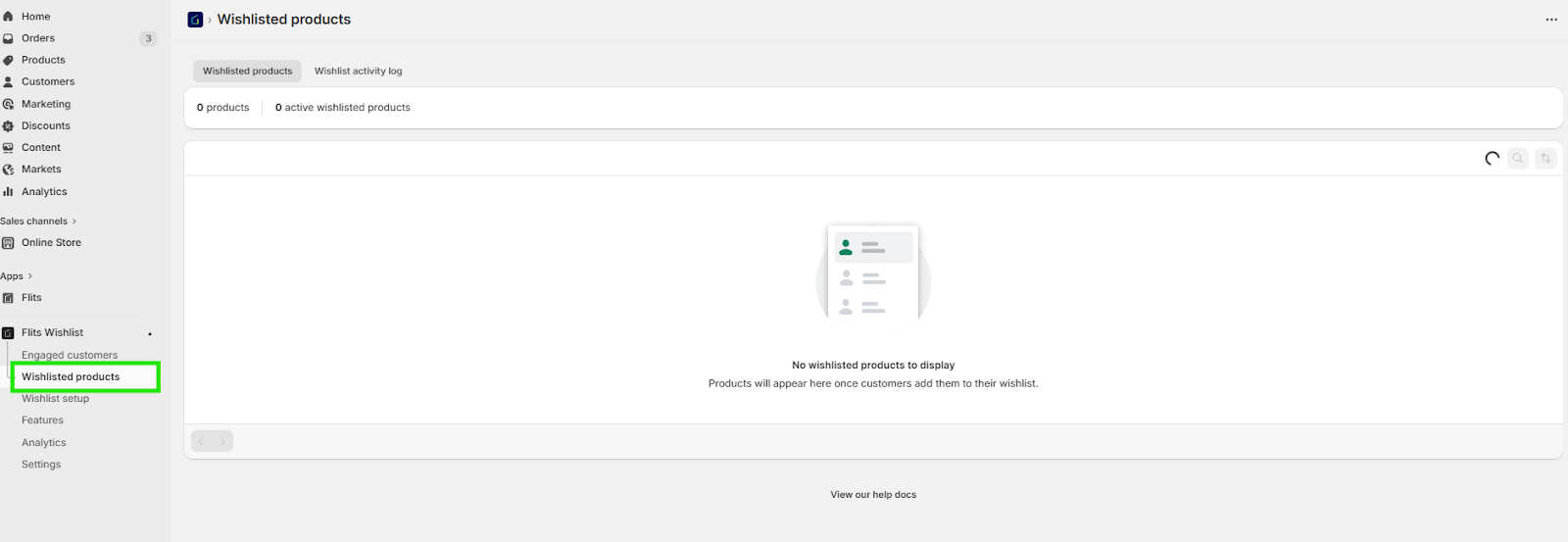
Flits gives merchants visibility into Wishlist activity via:
- Wishlisted products view: See which products are being saved and tracked over time
- Engaged customers view: Identify customers actively using Wishlist functionality
- Analytics Dashboard
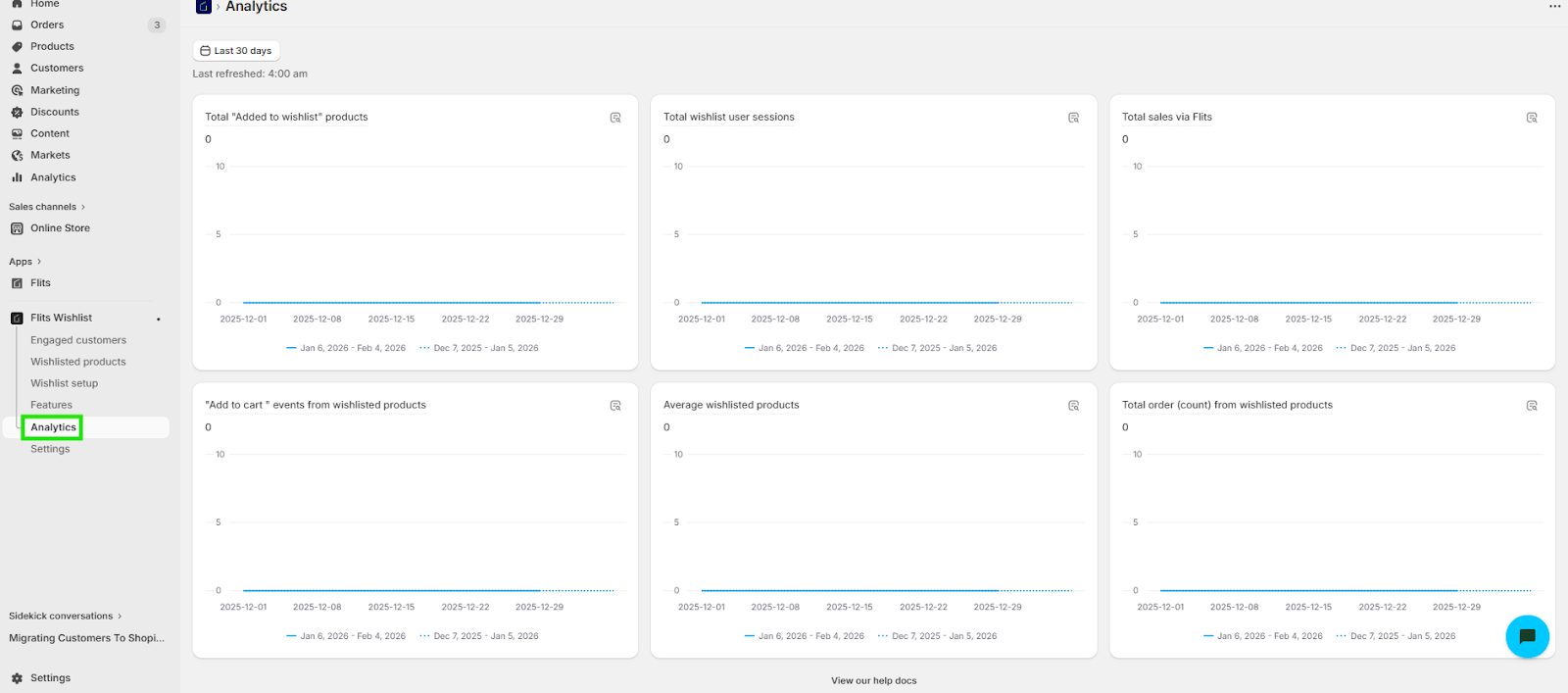
Merchants already get access to Wishlist analytics, such as:
- Total “Add to Wishlist” actions
- Wishlist user sessions
- Add-to-cart events from Wishlist
- Orders placed from Wishisted products
What’s Coming Soon Your Way
What’s live today is just the foundation. As Flits Wishlist evolves, we’re expanding it into a full intent, engagement, and merchandising layer, built to help merchants act on demand, not just guesswork alone.
- Smart Saving and Organization
Capture repeat interest and convert it into organized, high-intent saves.
- Wishlist collections: Organize saved products into multiple custom collections for easier planning.
- Notes on Wishlist items: Add shared notes to Wishlist products for personal reminders or gifting context.
- Smart Save: Prompt customers with a pop-up to save products they’ve viewed multiple times.
- Sharing & Social Intent
Let customers involve others in the decision-making process and extend buying influence beyond the store.
- Shared Wishlists: Share Wishlists with friends and family to plan, gift, or decide together.
- Save for Later
Reduce cart abandonment by giving shoppers a frictionless way to pause and return on their terms.
- Save for Later (Cart, checkout, & profile): Let customers move items out of the cart and revisit them anytime.
- Dedicated Save for Later Page: A standalone space for products saved from the cart.
- Enhanced Wishlist Experience
Make saving, revising, and buying faster with smoother access and quicker actions.
- Wishlist Widget & Mini-Drawer: Quick-access Wishlist without leaving the current page.
- Flexible Wishlist Layouts: Grid, search, and table views with faster actions.
- Instant Add to Cart from Wishlist: Add-to-cart icons directly on product images.
- Real-Time Product Signals
Create urgency and confidence with live demand, stock, and popularity indicators.
- Stock & Sale Indicators: Low stock, restocked, and on-sale tags across Wishlist and collection views.
- Notify Me Alerts: Let shoppers subscribe to back-in-stock notifications via email from out-of-stock product pages.
- In-Cart Popularity Tags: Show how many customers have added a product to their cart.
- Profile-Level Visibility
Keep Wishlist intent visible and accessible wherever customers manage their accounts.
- Wishlist preview in profile: Display a snapshot of saved items with quick access to the full list.
- AI & Smart Merchandising
Remove guesswork from the equation with AI-driven setup and actionable recommendations built on real intent data.
- AI-Powered Wishlist Setup: Personalized wishlist configuration tailored to each store.
- Smart Merchant Suggestions: Actionable insights on discounts, restocks, and high-interest products.
- Product Demand & Trends
Understand what customers want now and what they’re waiting to buy next.
- Top Wishlisted Products: See what customers are saving the most.
- Most Awaited Products: Track demand using wishlist and “notify me” signals.
- Trending Now: Real-time view of products gaining rapid wishlist traction.
- Merchant Controls & Activity
Stay informed with real-time visibility into wishlist activity and shopper behavior.
- Wishlist Activity Feed: Track customer interactions with wishlist products.
- Advanced Notifications: Fully customizable email and in-app alerts for wishlist and save-for-later actions.
- Deep Analytics & Insights
Connect wishlist and save-for-later behavior directly to conversions, retention, and revenue.
- Wishlist Analytics: Measure saves, engagement, conversions, sharing impact, and product performance.
- Save for Later Analytics: Track cart recovery, engagement, and purchases from saved items.
- Customer & Product Insights: Identify top variants, high-intent shoppers, and conversion drivers.
If you’re ready to recover lost intent and increase add-to-cart and purchase rates, Flits Wishlist is ready to plug into your storefront today. Reach out to us to learn more about pricing and setup. Your first 30 days are completely free, so you can see the impact before you commit.
Try it risk-free and let Flits help you convert intent, retain customers, and scale faster.
Start Your 30-Day Free Trial Now